Apple Health on every client profile
Clients connect Apple Health once and their steps, sleep, weight and workouts land on their profile. You coach on what they actually did all week, not on what they remember at the check-in.
14 days free · all features included · cancel anytime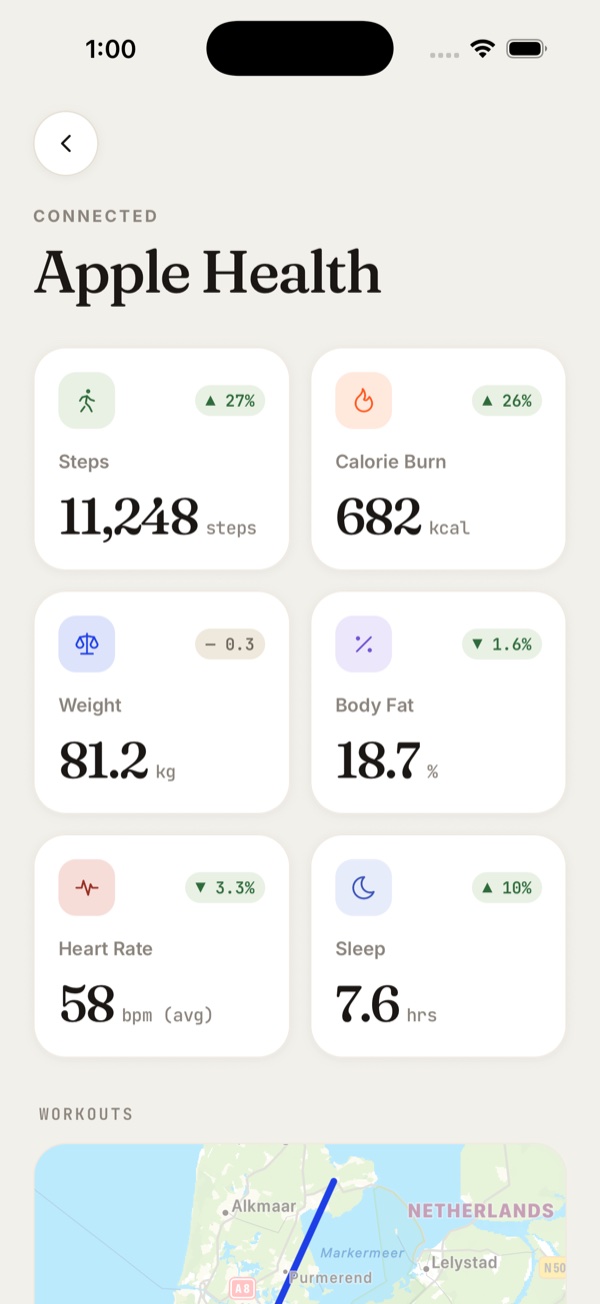
Trusted by leading coaches worldwide




Clients can see their own progress without asking you
Everything that syncs shows on the client's Progress tab, day by day. It updates whenever they open the app, and they log none of it by hand.
Notice a drop the same day
Steps, sleep, weight and heart rate sit on one dashboard with the latest value on each. When a client's numbers slip you both see it that day, not at the next check-in.
Clients track their own trends
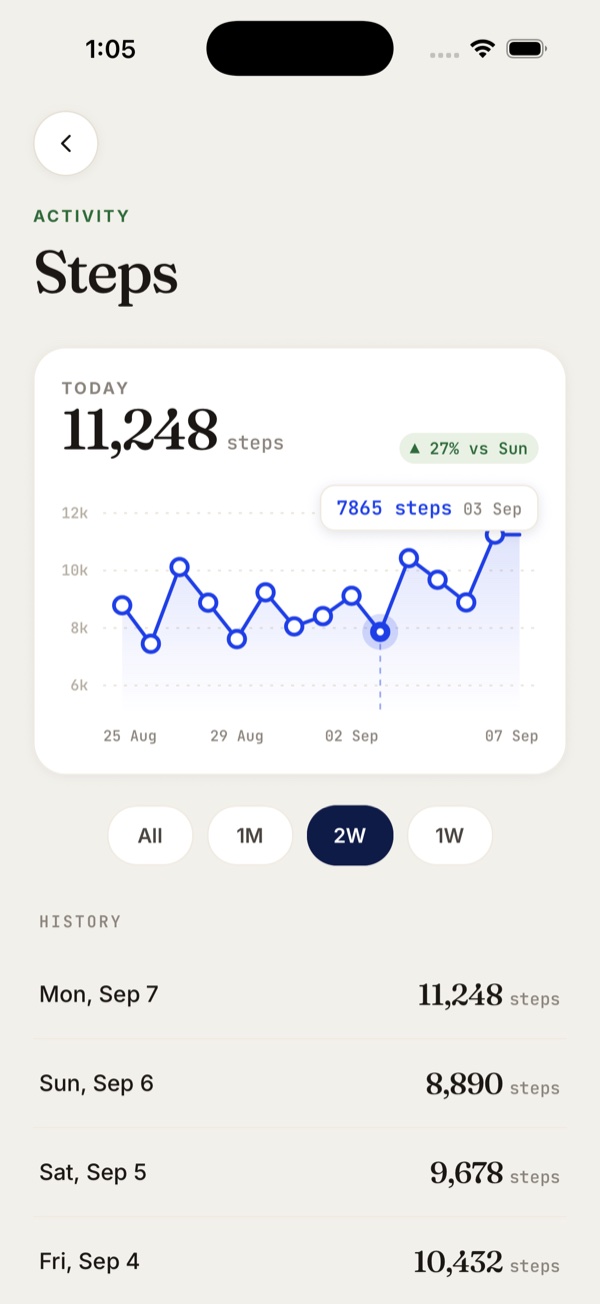
Opening a metric gives the client a 30-day chart and a day-by-day list. They can see whether they are improving without messaging you to ask.
See how hard a session actually was
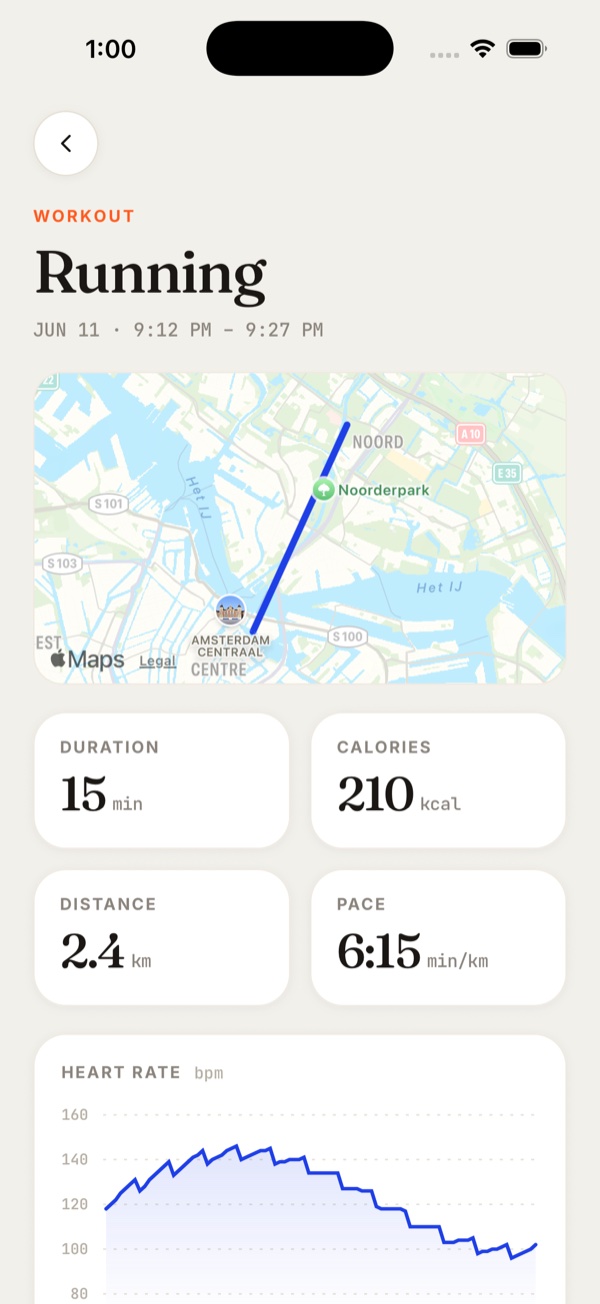
Each run, ride or strength session opens with distance, pace and heart rate. You can tell a hard week from an easy one.
Whatever a client wears, the data still reaches you
One connection covers the watch, ring or band a client already owns. You don't have to support a different integration for every client's device, and they never log in twice.
Know how a client is recovering, not just how they trained
Sleep, resting heart rate and body composition arrive without you asking for them. It is the context that tells you whether a hard week is landing or wearing a client down.
All the updates that you've rolled out are unreal and I'm so in awe of how good it's all looking. I truly love this app so much and it's made my business run so much better!
 MyriaAccredited Sports Dietitian · @athelitenutrition
“Hands down the best designed coaching app I've used.”
 George Symeou · Online Fitness Coach · @the.strengthbase
“I spend less time on manual tasks and more time actually coaching.”
 Julz Yap · Dietitian (APD) & Nutritionist · @julzhealth
See the training your clients do outside their program
Everything a client records shows on their profile, not just the sessions you assigned. You coach their real training load, not only the part you wrote.
Stop clients logging what their watch already counted
Habits measured in steps or hours of sleep fill in on their own each day. Clients keep the streak without remembering to log, so what you review is what actually happened.
Watch a client connect and sync
A client connects Apple Health on their phone, and their steps, sleep, weight and workouts arrive on the profile you are looking at. Setup takes them under a minute.

What coaches say about Fitsly
“I'm so in love with Fitsly. It's genuinely got me excited for online coaching again. I love what you're building. So glad I finally jumped in, I'm honestly obsessed with how everything is coming together.”
 Kate CollinsPersonal Trainer · @katecollinspt
“The user experience, the direction of the brand, and where the industry is heading… it aligns really well with where I see online coaching evolving over the next few years and beyond.”
 Teiyana PattersonFMG PRO · @coachteiyana_fmgpro
“Already prefer it over Trainerize so will keep working on moving things over, you've done fab with putting everything in there! It's like a blend of every app, no one has everything you need. Until now.”
 CassiePT & Nutritionist · @cassieando
Apple Health sync is included in every plan
Health metrics, synced workouts and habit auto-logging aren't an add-on. Every plan has them, the trial included.
A workout builder that handles the formats you actually program, meal plans clients can log against, check-ins on a schedule, and habits with streaks. Then the things that save you the most time: onboarding that assigns content at join, automations, and one inbox for every client. Fitsly does all of it.
Guides & support
Browse the help centreConnect Apple Health in the client app
Where clients find App Integrations in their settings, and what each wearable needs switched on.
help centreVideo walkthroughs
Feature walkthroughs and tips for the coach and client apps.
youtubeChat with support
Have a question about setup? Message us in chat.
live chatAsk a client to connect today
Send them the setup steps from their profile and you can see their week by tomorrow. Free for 14 days, all features included.
